
Night Light Pro2.3.1 - Google Play
You'll be able to see results in few seconds.
Publisher Description
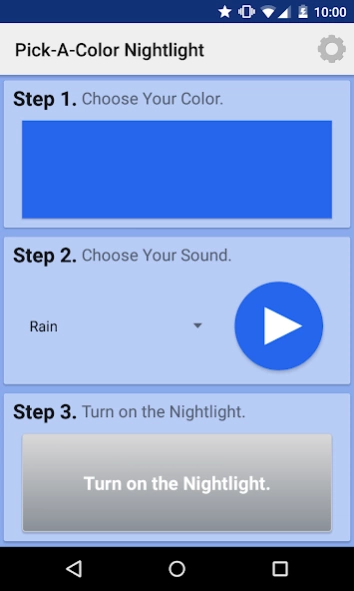
Pick-A-Color Night Light is an easy-to-use night light and sound machine.
Pick-A-Color Nightlight is an easy-to-use nightlight and sound machine. In three simple steps, you can turn on your nightlight and add a little safety, security, and comfort to any room. Here's what to do:
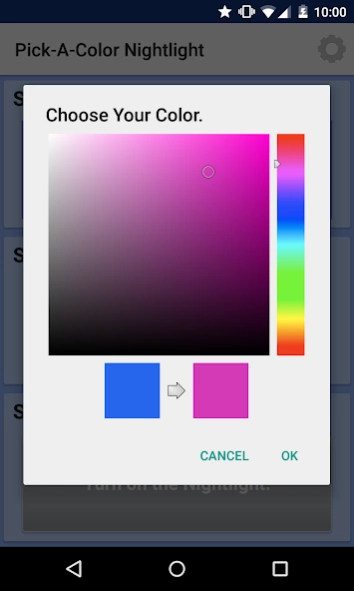
Step 1 - Choose Your Nightlight Color: Use the color wheel to select your favorite nighttime color. The color picker allows you to select every possible color!
Step 2 - Choose Your Sound: Pick-A-Color Night Light's sound machine has six sound loops, including plain white noise, rain, storm, waves crashing, crickets chirping, and a heartbeat.
Step 3 - Start the Night Light: It's as easy as pushing a button.
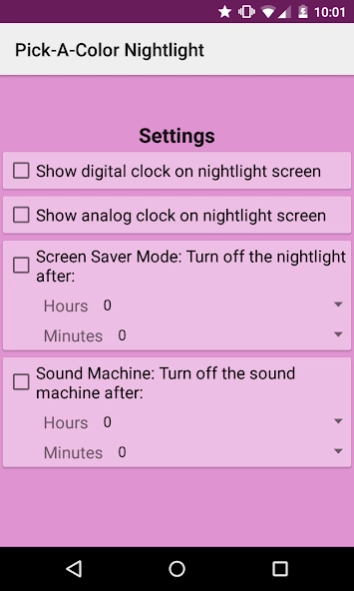
Settings: Pick-A-Color Night Light has multiple settings that you can customize:
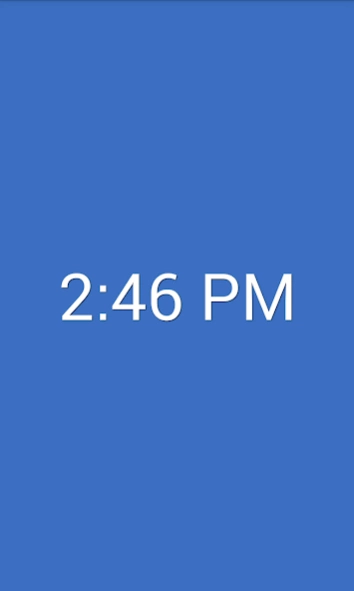
- Show a digital clock on the night light screen
- Show an analog clock on the night light screen
- Screen Saver Mode: Turn off the night light after a user-specified time
- Sound Saver Mode: Turn off the white noise sound machine after a user-specified time
Pick-A-Color Night Light is ideal for everyone from children to adults. See the screen shots below for ways to light up your baby's nursery, or turn your bedside table into an elegant light display. Leave the night light on in the bathroom or hallway to ensure that you can see without fully waking yourself up at night time. Check out the screen shots that show what the night light looks like if you fold a piece of paper and put it over the device -- it looks really neat!
For best results, turn your device to maximum brightness and keep your device plugged in. This night light has a "wakelock" feature that keeps your phone on through the night, but the light will drain your battery if it isn't plugged in.
This app uses minimal permissions:
1) Wakelock permission: Prevents night light from turning off.
2) Read Phone State: Allows sound machine to detect an incoming call and turn off the noise so that you can have a conversation. This app does NOT have internet access, so your data stays on your phone.
There is a free version of this app with over 50,000 downloads, so all of the bugs have already been worked out. This app contains no advertisements and does not collect any user data.
About Night Light Pro
The company that develops Night Light Pro is Colorwork Apps. The latest version released by its developer is 2.3.1.
To install Night Light Pro on your Android device, just click the green Continue To App button above to start the installation process. The app is listed on our website since 2015-08-01 and was downloaded 0 times. We have already checked if the download link is safe, however for your own protection we recommend that you scan the downloaded app with your antivirus. Your antivirus may detect the Night Light Pro as malware as malware if the download link to com.colorworkapps.pickacolornightlight is broken.
How to install Night Light Pro on your Android device:
- Click on the Continue To App button on our website. This will redirect you to Google Play.
- Once the Night Light Pro is shown in the Google Play listing of your Android device, you can start its download and installation. Tap on the Install button located below the search bar and to the right of the app icon.
- A pop-up window with the permissions required by Night Light Pro will be shown. Click on Accept to continue the process.
- Night Light Pro will be downloaded onto your device, displaying a progress. Once the download completes, the installation will start and you'll get a notification after the installation is finished.
Program Details
System requirements
Download information
Pricing
Version History
version 2.3.1.P
posted on 2015-08-02
Upgraded to support Lollipop
Disclaimer
Official Google Play Link
We do not host Night Light Pro on our servers. We did not scan it for viruses, adware, spyware or other type of malware. This app is hosted by Google and passed their terms and conditions to be listed there. We recommend caution when installing it.
The Google Play link for Night Light Pro is provided to you by apps112.com without any warranties, representations or guarantees of any kind, so access it at your own risk.
If you have questions regarding this particular app contact the publisher directly. For questions about the functionalities of apps112.com contact us.
